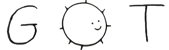
49 is an operating system that takes multiples ideas from
kernels like L4 and operatings systems like Plan9 and
OpenBSD. It is meant to be an operating system with a fixed
size, meaning that it never allocates memory for itself
and its size at boot time remains constant. The size of the
kernel can be changed by a user through configuration to
match its platform.

This has the benefit of making allocation simply for user
space. There is also no virtual page tables CR3 operations
besides the kernel one to map all memory. The memory is 1
to 1 mapped to allow usage of the MPU.

Communication among tasks is done through shared buffers
called seats. When the kernel boots, it takes a set amount
of seats represented by a fixed size array. These seats are
all of PAGE_SIZE and can be either vacant or occupied. When
a task wants to communicate with another it takes a seat
and waits before exchanging information.

Fragmentation is solved by moving chunks of innactive
threads. The chunks are all of PAGE_SIZE.

Userspace programs request memory in a different way. When
compiling a program you specify how much fake dynamic
memory (FDM) the program needs. The fake memory is added at
runtime. Hence, memory allocation is based on that memory
chunk and not a syscall to request pages from the kernel.
This will force you to tell how much RAM your program
really needs instead of pretending to be lightweight. The
memory block is handed at the entry point and the programs,
thread has to manage it. There is no malloc, there is no
free, you are on your own.

The layout of the operating system image is :

[ boot ] [ identifier ] [ boot 2 ] [ kernel ] [ alpha ] ...

The identifier is a magic number combined with a date and
time to identify the PCI device used by the boot drive. The
date and time is passed to the bootloader at compile time.
The second stage bootloader reads the driver part of it and
loads it into memory then passes the ident to the kernel.
The kernel then passes it to the root task which starts the
PCI server to search for that specific device with the
ident. Afterwards it starts the driver server and the
filesystem server to load the remaining needed drivers. This
makes it so only required drivers are loaded. When the OS
is installed on a storage device, the image just changes the
storage type byte in the ident sector.

Each programs in its executable header mentions the resources
it will use. Programs also can have communication channels
which ask to reserve seats. Seats are all simplex. There is
no half-duplex or duplex. Half-duplex and duplex are implemented
at the userspace level with the reaction of the receiver from
the sender. The kernel only job is to read seats every timer
interrupt and wake up the receiver when data is available or
ignore the packet if there are no receiver. Example of 2 threads

       Seat A                  Seat B
[ ThreadA => Thread B ] [ ThreadB => ThreadA ]

The behaviour of simplex/duplex/half-duplex is handled by the
thread through communication. The kernel only job is to wake
threads. I call this the seat protocol.

The Root Task (alpha) goal is to strip away the header and load
executable in memory. Essentialy the root task is the loader.

Opening a file: A text editor reserves a set amount of memory in
its contract for viewport. A policy is made so he can request
a driver to read the part needed from file and another file is
opened to save history at a maximum amount of bytes.

Tasks spawning other task is not done like unix fork. The way
a task spawns another is is by cutting a part of its memory and
requesting the root task to use it to create another one. For
example, a windom manager could request a memory chunk of 512MB
and use that 512 MB to spawn other tasks. This way resource
exhaustion is impossible as the only resources used by the a
task are his own.

Filesystem: The filesystem is tag based, meaning that there are
no directories, sub-directories, etc. Files are layout through
tags and adding a file adds it to the tag. Doing something like
tags in chell will give you a list. i.e:

> #
#home
#games
#system

Accessing a file is done with for instance home:record.mkv

Files can also have multiple tags. For instance

> ::record.mkv

#home
#system

Permissions are managed via groups and users just like in Unix.
That was actually a good design so we keep it. You can do something
like.

> #home useradd nanga rwx
> #home groupadd mygroup rwx

When doing this it adds these to all objects with this tag. There
are no directories, only tags and files.

Basically

#[Tags]:[Group/User]:[File]

The file system server when started is fed by the root task the
offset before reading the boot drive files.

Features:

- Buggy

- Unsafe

- Incomplete

- POSIX unfriendly

- No ELF

- and more